BA
Baluu
    • Can I Email Attendees for a Specific Event?
    • How can I view my Guestlists and check attendance?
    • Recording Online Events
    • I'm changing my Business address
    • Business Community Guidelines
    • How to get more bookings for online events
    • The Dos and Don'ts for online events
    • Adding Notes to a Customer Booking
    • How can I cancel my events in bulk?
    • Using the Description Toolbar in Event Basic Details and Emails
    • How to run a test booking on Baluu
    • How do I delete an instructor/team member?
    • How do I set a minimum age for my event?
    • How to Export Customer Data
    • What video conference platform can I use to host my online events?
    • Can I resend any auto-emails to my customers?
    • Is Baluu GDPR Compliant?
    • How do I add a new event location?
    • How to Hide, Archive or Delete an Event
    • How to Extend Gift Card Expiry Dates?
    • How to Edit Customer Details
    • Invoice Management: Marking as Paid and Cancelling Invoices
    • How to Add a Mandatory Tick Box for Terms & Conditions
    • Why Customers Encounter Errors When Trying to Cancel or Reschedule Events
    • How to Change Your Payout Schedule
    • Where to View Your Bookings and Estimated Earnings
    • How to Change Your Baluu Booking Website Link?
    • How to Update Event Availability?
    • Adding new time slots to existing by appointment availability
    • Time Off (For Appointment-Based Sessions)
Docs / FAQ's

I'm changing my Business address

If you are moving to a new location, there are a few things to make sure you have changed in your dashboard to ensure customers get the correct information when booking.

You can follow these steps to update your new business location.

  1. On your Baluu dashboard go to to the 'Business' tab and then click on 'Settings'.

  2. Once you click on that, the settings page will open and there you can choose a Company Address or 'Add new' .
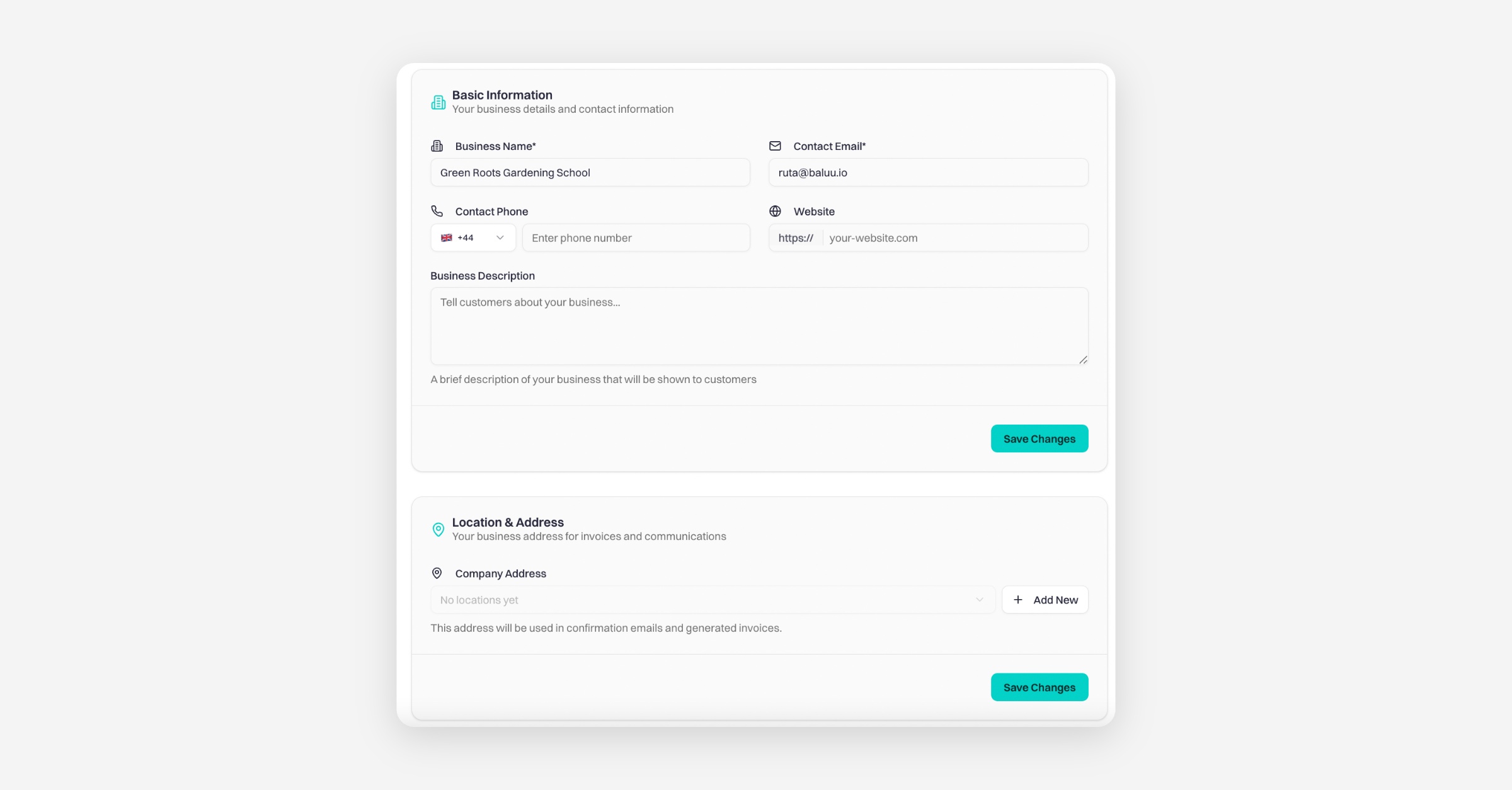
  3. After filling in all the required information within the 'Add new' form, you can click on the 'Save Changes' button to save the new location on your Baluu profile.

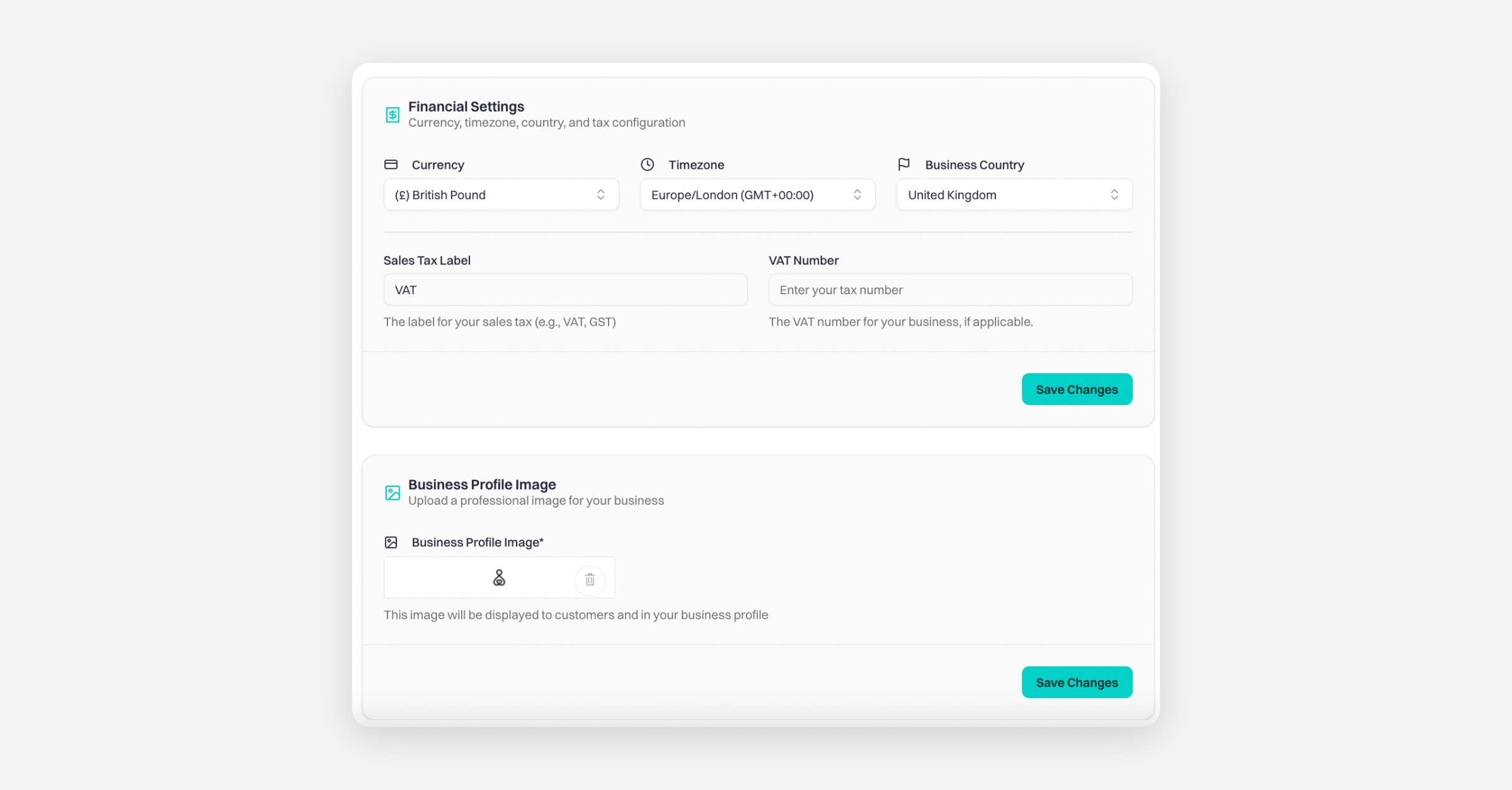
On the same settings page, you can also update your financial settings, including currency, time zone, country, and tax configuration, as well as your Business Profile Image by uploading a professional image for your business.
PrevRecording Online Events
NextBusiness Community Guidelines
Was this helpful?