BA
Baluu
Docs / FAQ's

How do I add a new event location?

You do not need to create a new event to add a new location. You can add locations directly from your Dashboard and then assign them to your sessions.

Step 1: Add a New Location

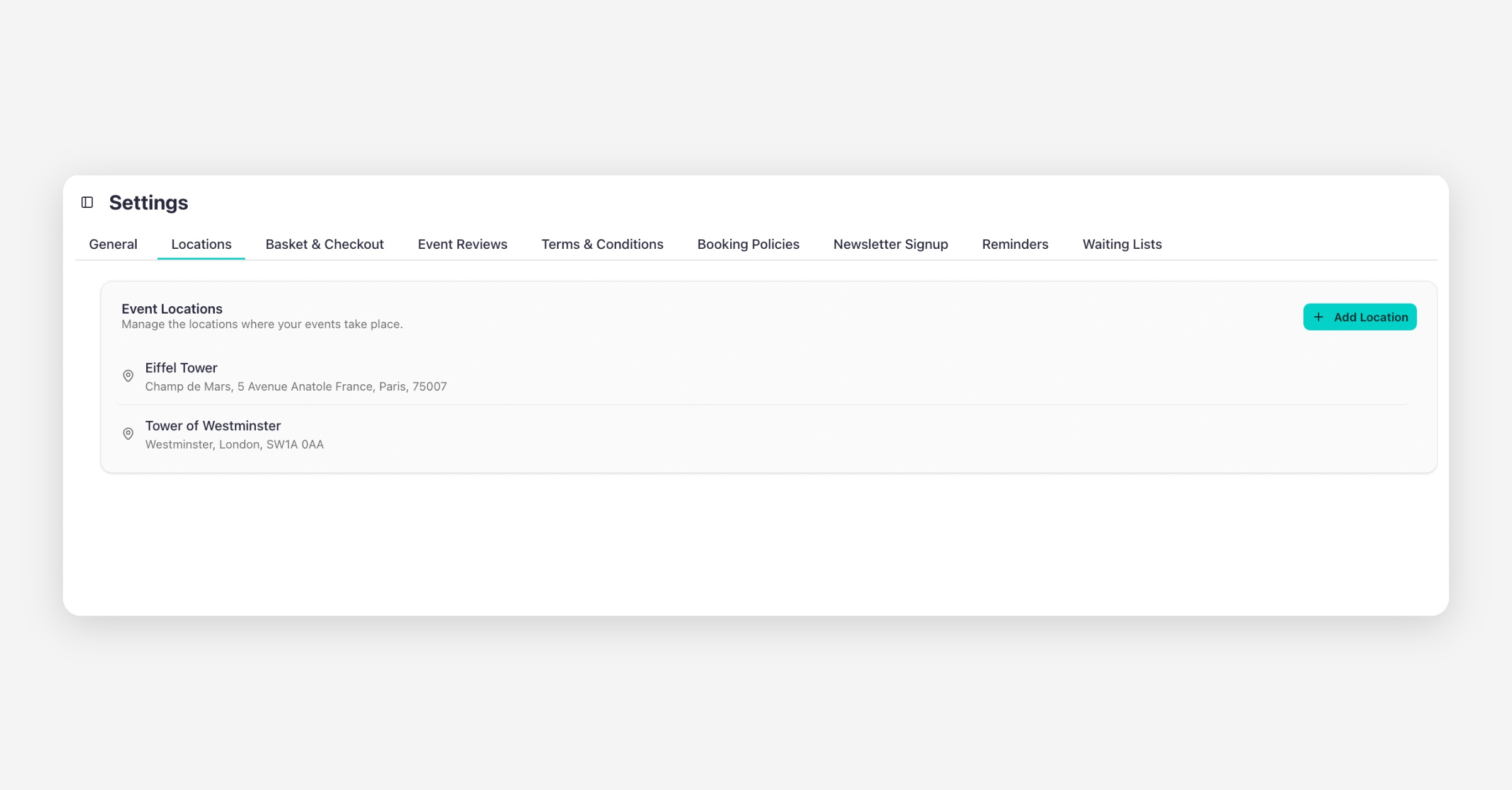
  1. Go to your Dashboard

  2. Click Settings

  3. Select Locations

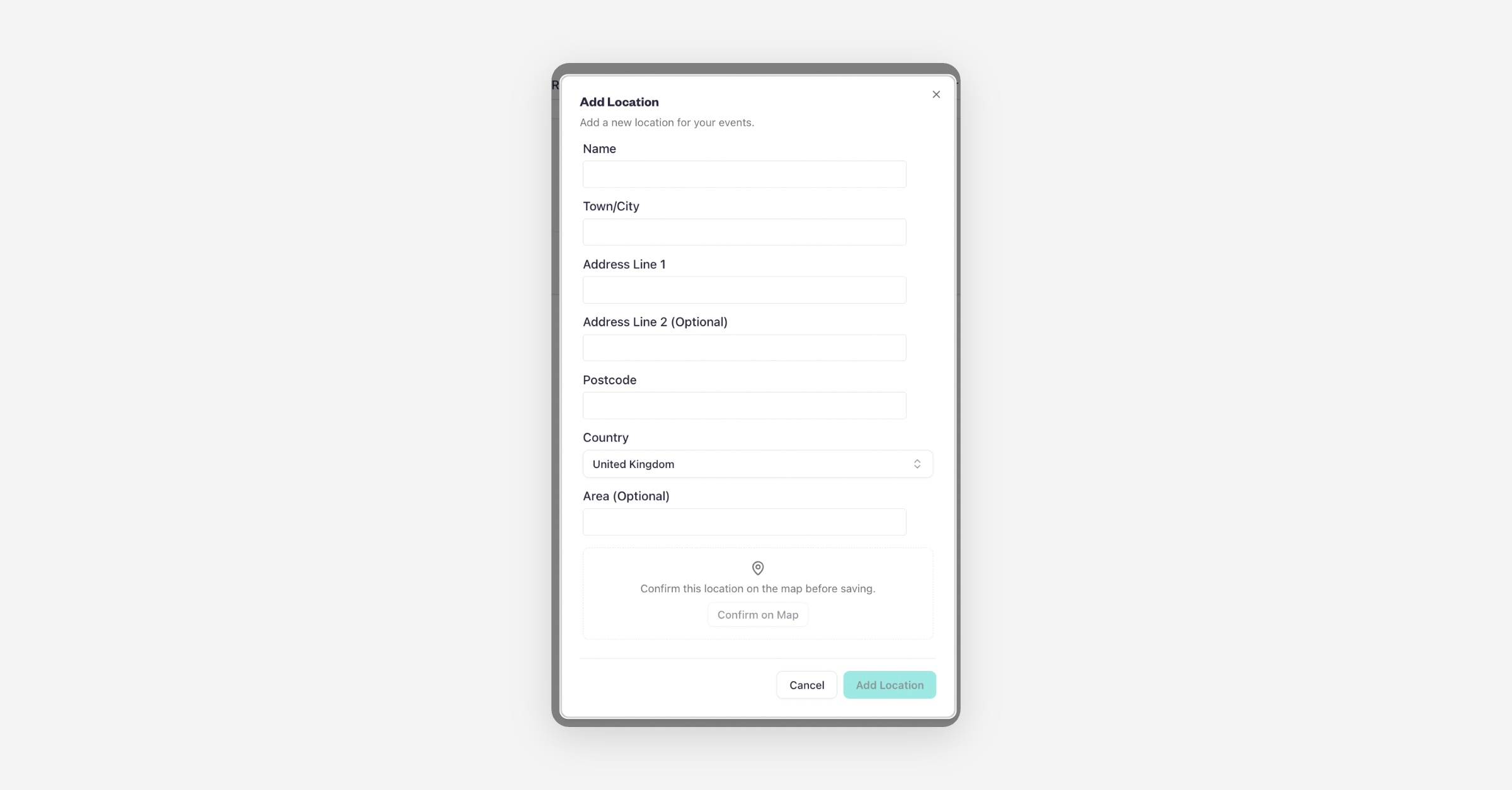
  4. Click Add New Location

  5. Fill in the required details

  6. You also have the option to add geo-coordinates for more accurate positioning

  7. Click Add Location to save

  8. Your new location will now be available in your event settings.

Edit an Existing Location (If the Map Pin Is Incorrect)

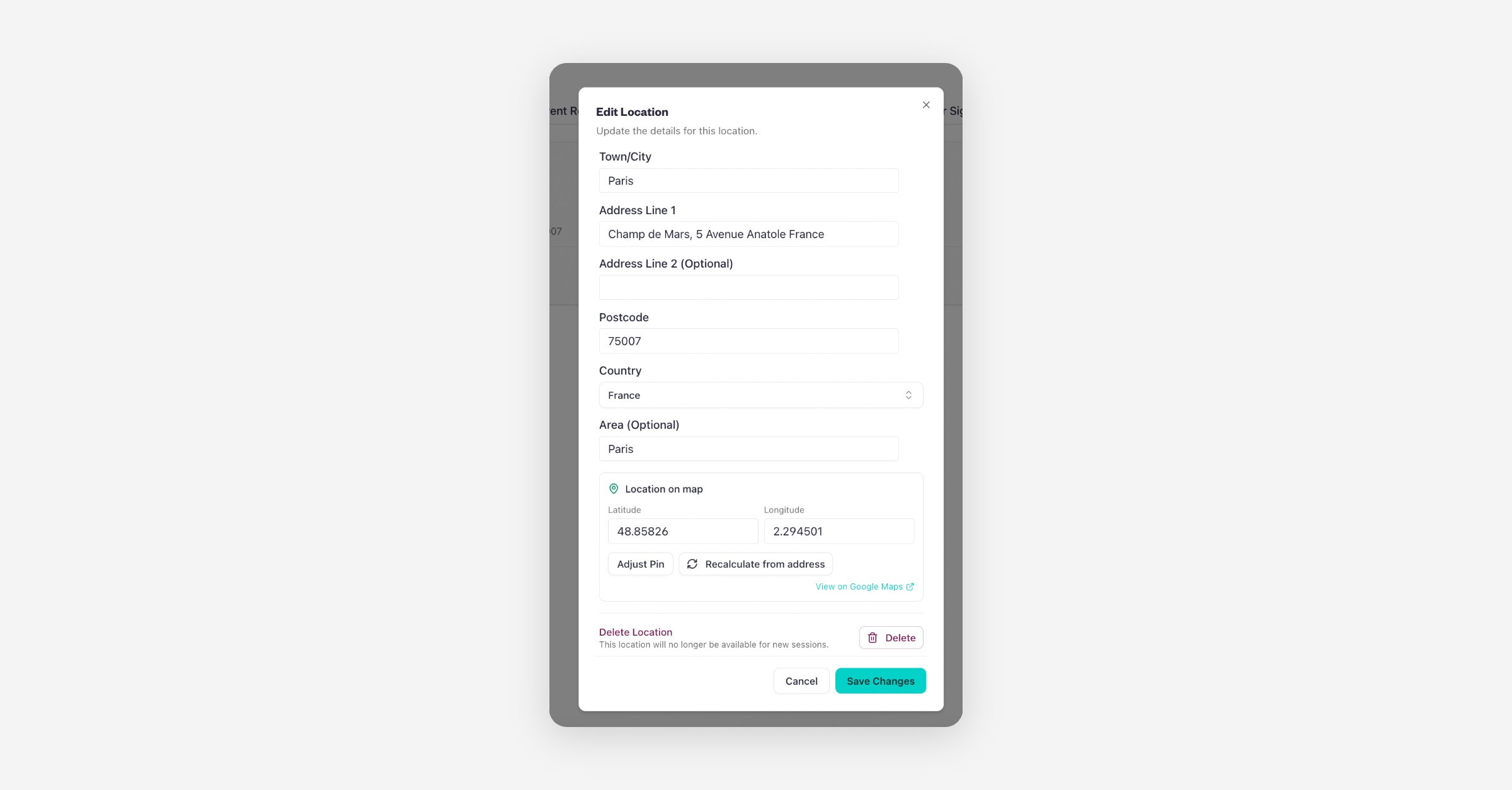
If you already have a location saved but the map position is not accurate, you do not need to create a new one. You can edit the existing location and update the geo-coordinates.

  1. Go to Settings

  2. Click on the Locations

  3. Click on the location

  4. Edit address details

  5. Adjust the map pin

  6. Click Save Changes

You can also delete the location from the same page by selecting the Delete Location option.

Your updated coordinates will apply immediately.
PrevIs Baluu GDPR Compliant?
NextHow to Hide, Archive or Delete an Event
Was this helpful?
    • Can I Email Attendees for a Specific Event?
    • How can I view my Guestlists and check attendance?
    • Recording Online Events
    • I'm changing my Business address
    • Business Community Guidelines
    • How to get more bookings for online events
    • The Dos and Don'ts for online events
    • Adding Notes to a Customer Booking
    • How can I cancel my events in bulk?
    • Using the Description Toolbar in Event Basic Details and Emails
    • How to run a test booking on Baluu
    • How do I delete an instructor/team member?
    • How do I set a minimum age for my event?
    • How to Export Customer Data
    • What video conference platform can I use to host my online events?
    • Can I resend any auto-emails to my customers?
    • Is Baluu GDPR Compliant?
    • How do I add a new event location?
    • How to Hide, Archive or Delete an Event
    • How to Extend Gift Card Expiry Dates?
    • How to Edit Customer Details
    • Invoice Management: Marking as Paid and Cancelling Invoices
    • How to Add a Mandatory Tick Box for Terms & Conditions
    • Why Customers Encounter Errors When Trying to Cancel or Reschedule Events
    • How to Change Your Payout Schedule
    • Where to View Your Bookings and Estimated Earnings
    • How to Change Your Baluu Booking Website Link?
    • How to Update Event Availability?
    • Adding new time slots to existing by appointment availability
    • Time Off (For Appointment-Based Sessions)