BA
Baluu
    • Can I Email Attendees for a Specific Event?
    • How can I view my Guestlists and check attendance?
    • Recording Online Events
    • I'm changing my Business address
    • Business Community Guidelines
    • How to get more bookings for online events
    • The Dos and Don'ts for online events
    • Adding Notes to a Customer Booking
    • How can I cancel my events in bulk?
    • Using the Description Toolbar in Event Basic Details and Emails
    • How to run a test booking on Baluu
    • How do I delete an instructor/team member?
    • How do I set a minimum age for my event?
    • How to Export Customer Data
    • What video conference platform can I use to host my online events?
    • Can I resend any auto-emails to my customers?
    • Is Baluu GDPR Compliant?
    • How do I add a new event location?
    • How to Hide, Archive or Delete an Event
    • How to Extend Gift Card Expiry Dates?
    • How to Edit Customer Details
    • Invoice Management: Marking as Paid and Cancelling Invoices
    • How to Add a Mandatory Tick Box for Terms & Conditions
    • Why Customers Encounter Errors When Trying to Cancel or Reschedule Events
    • How to Change Your Payout Schedule
    • Where to View Your Bookings and Estimated Earnings
    • How to Change Your Baluu Booking Website Link?
    • How to Update Event Availability?
    • Adding new time slots to existing by appointment availability
    • Time Off (For Appointment-Based Sessions)
Docs / FAQ's

Can I resend any auto-emails to my customers?

Yes — you can resend automated emails such as booking confirmations, reminders, and review requests to your customers.

How to Resend a Single Auto-Email

If a customer accidentally deletes their email or did not receive it, you can resend an individual auto-email — such as a booking confirmation, reminder, or review request — without needing to resend all notifications for the booking.

  1. In your dashboard, select Notifications and open the Dispatch Center.

  2. In the search bar, enter the customer’s email address.

  3. Locate the email you want to resend.

  4. Click the three-dot menu next to it and select Resend Notification.
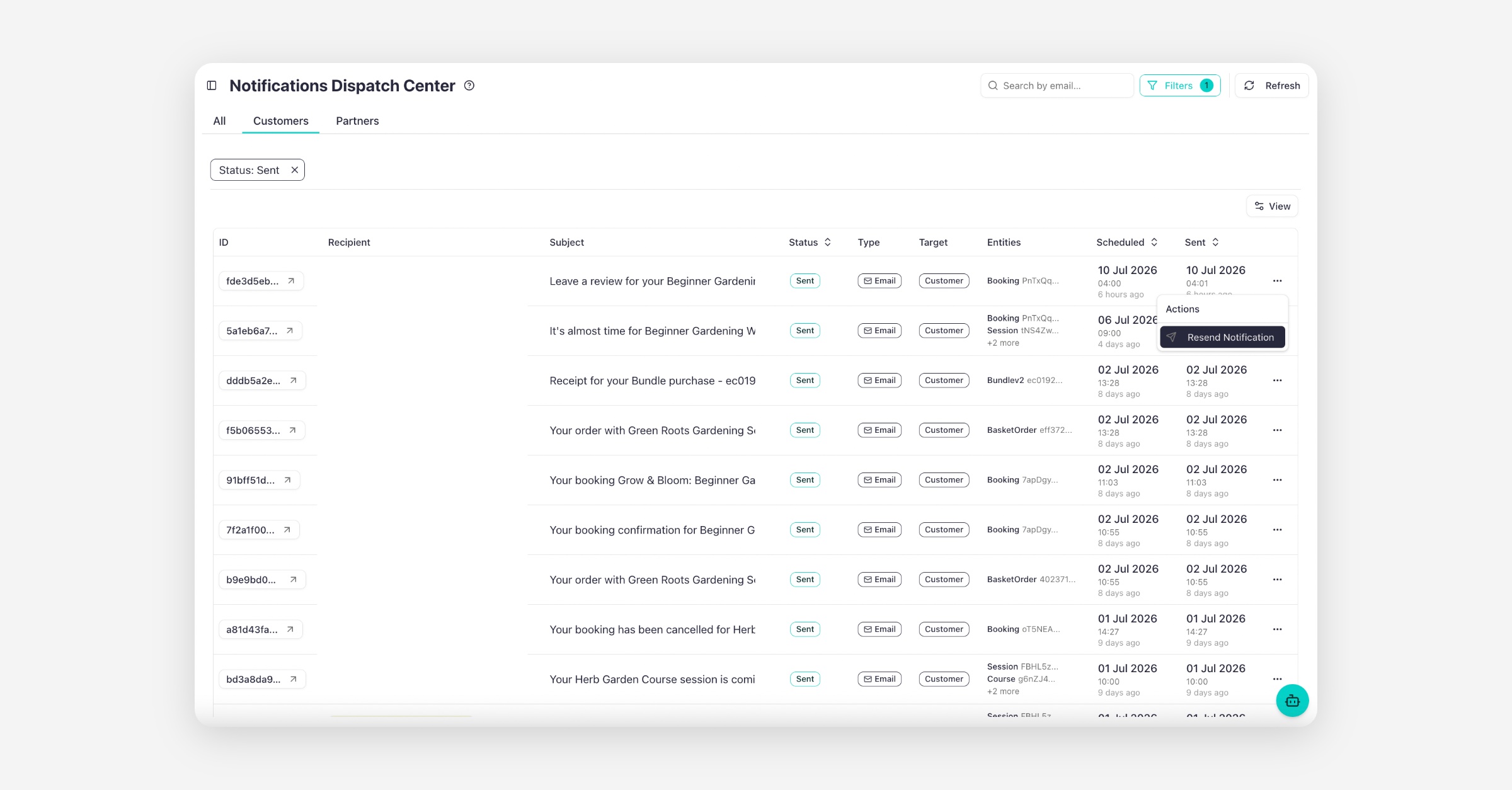
    The email will be sent again to the customer instantly.

Resend & Override to a Different Email Address

If a customer entered the wrong email address during booking and the confirmation was sent incorrectly, you can resend the notification to a different email address.

  1. Go to Notifications in your Baluu dashboard

  2. Click on Dispatch Centre

  3. Find the email notification you want to resend

  4. Click the three dots (⋯) next to the email

  5. Select Resend notification

  6. Click Override the original email address with the new one
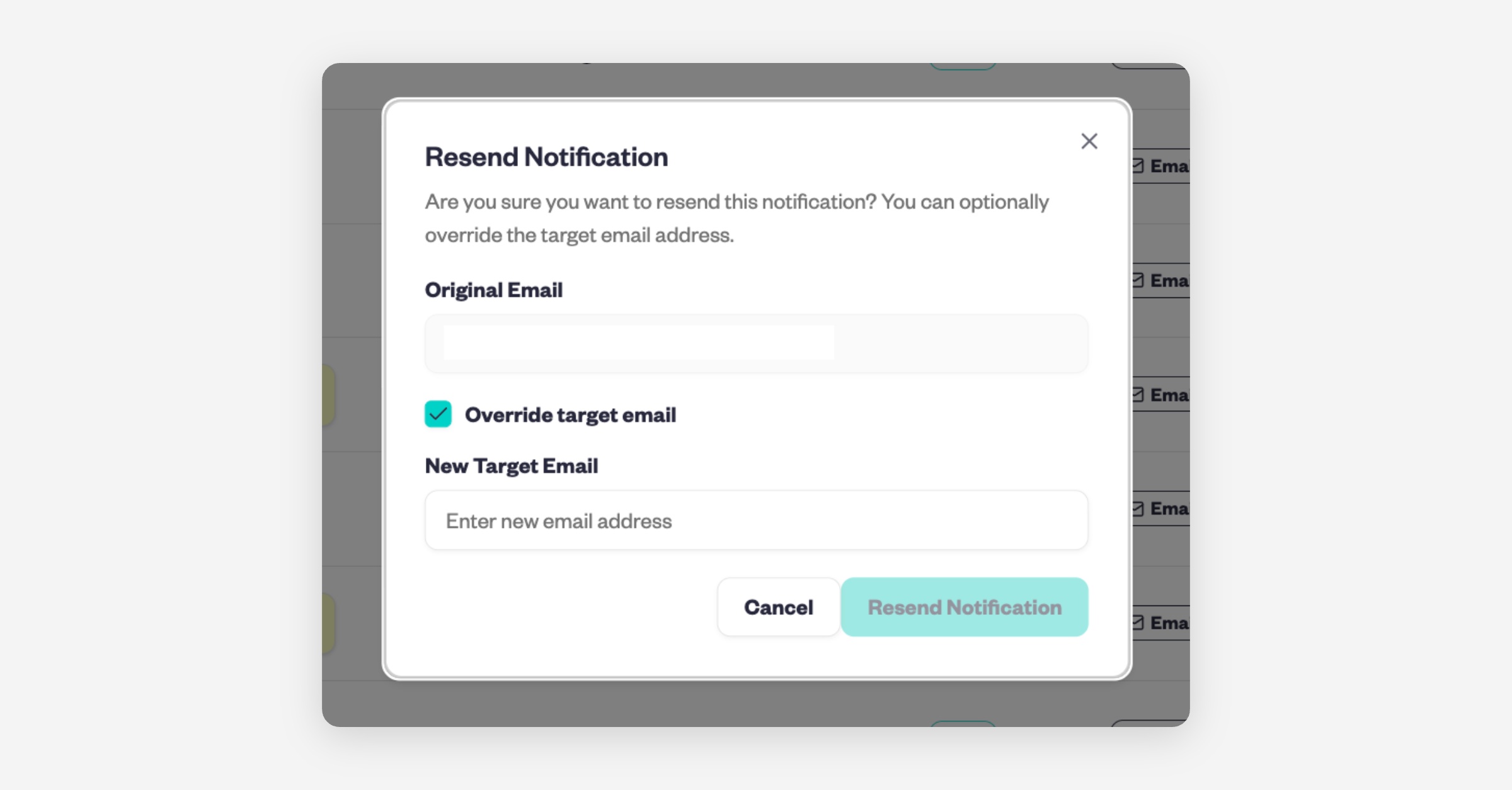
  7. Confirm to resend the email

How to Resend All Auto-Emails for a Booking

If you’d like to resend all configured auto-emails for a specific booking:

  1. Go to the Customers section and click List

  2. Find and click on the customer’s name

  3. Under Customer Activity, locate their booking
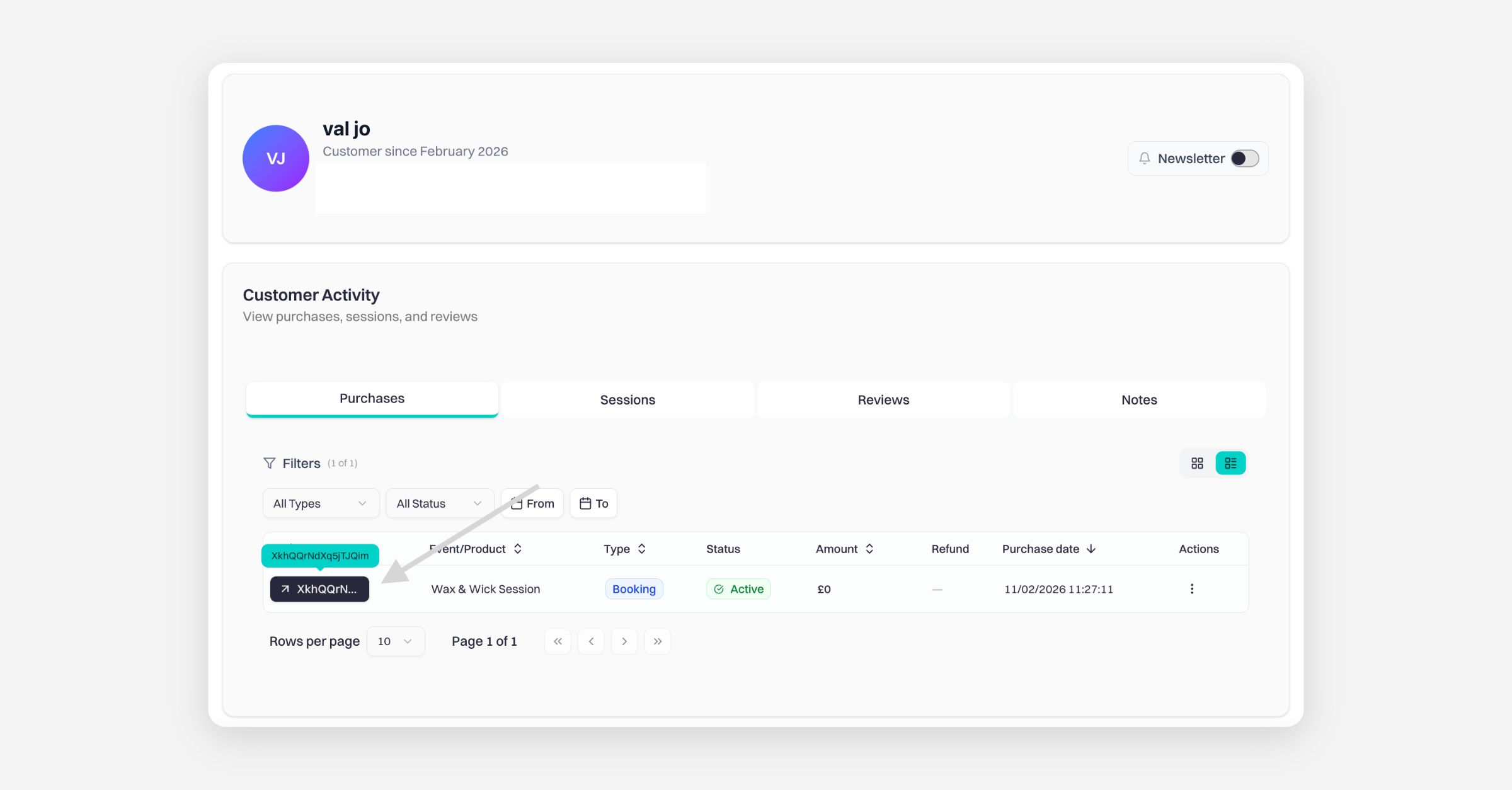
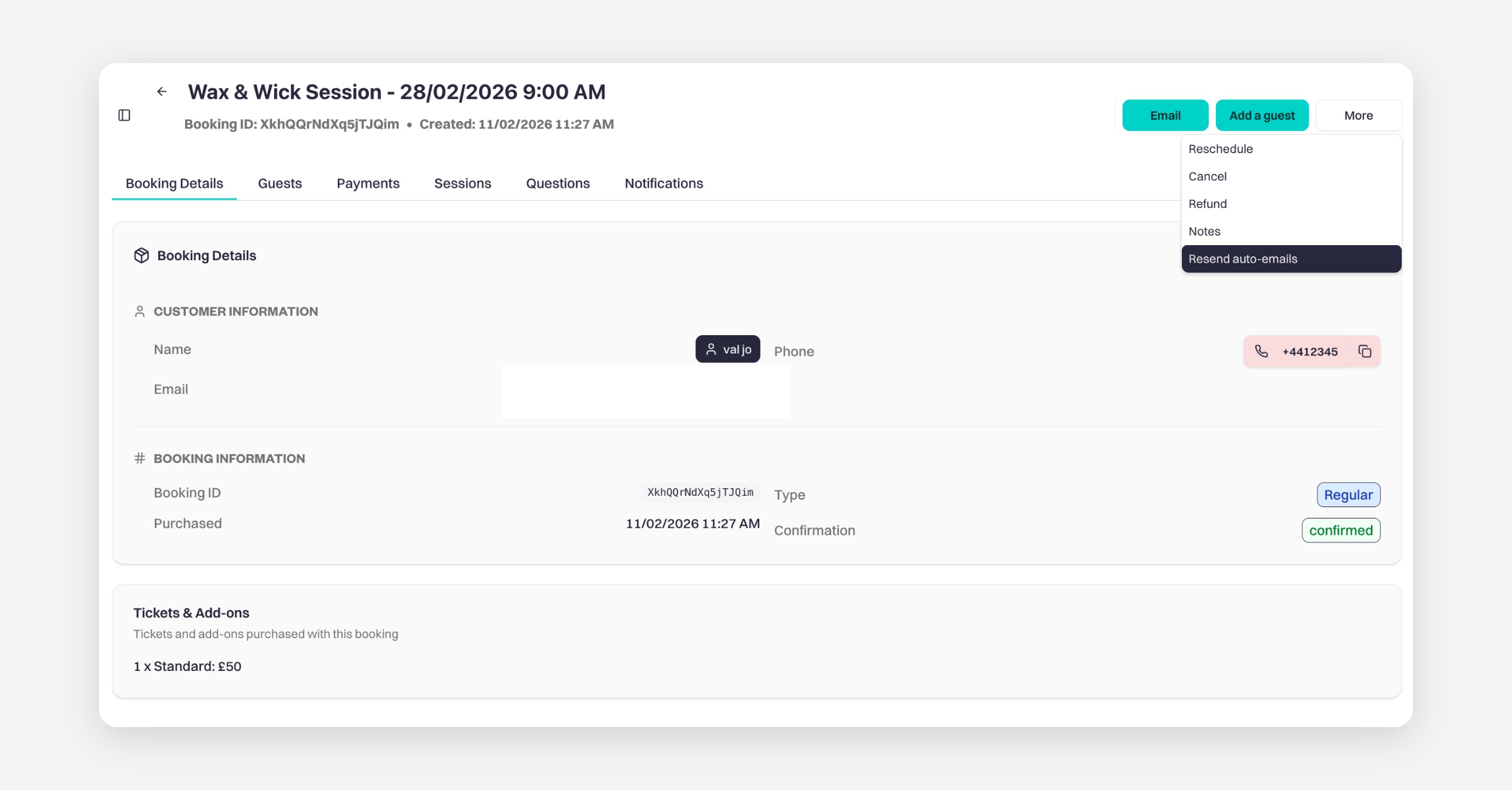
  4. Click on the Booking ID

  5. In the top right corner, click More

  6. Select Resend Auto-Emails

This will resend all automated emails associated with that booking.

PrevWhat video conference platform can I use to host my online events?
NextIs Baluu GDPR Compliant?
Was this helpful?