Docs / FAQ's
How to Export Customer Data
Export All Customer Data
If you’d like to download all customer data:
Go to Customers
Select List
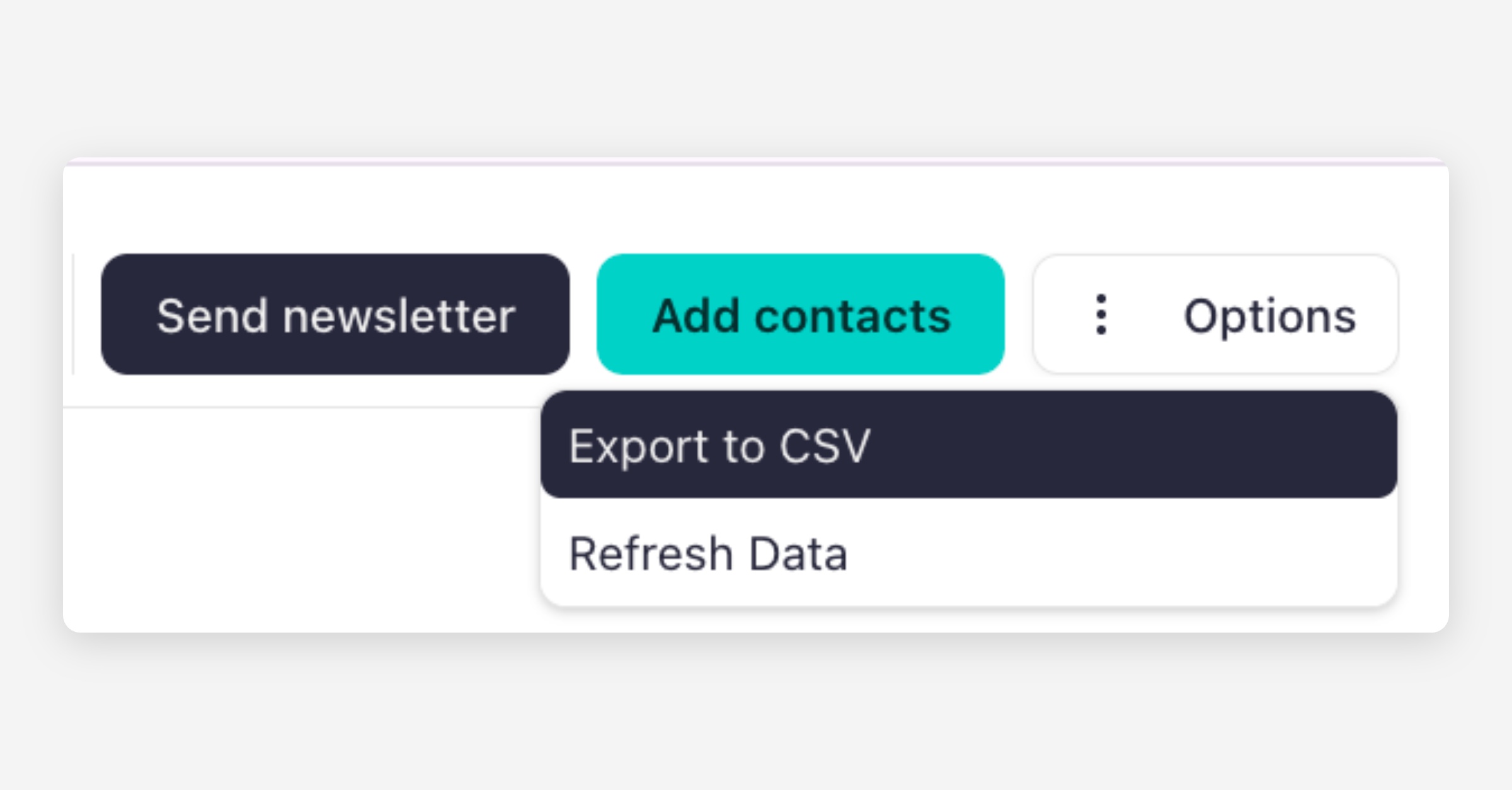
Click Options
Select Export to CSV
This will download your full customer list.
Export a Specific Customer List (Using Filters)
If you’d like to export a filtered list of customers (for example, by tag or listing):
Go to Customers
Select List
Use the Filters option
Filter by Tags, Listings, or other criteria
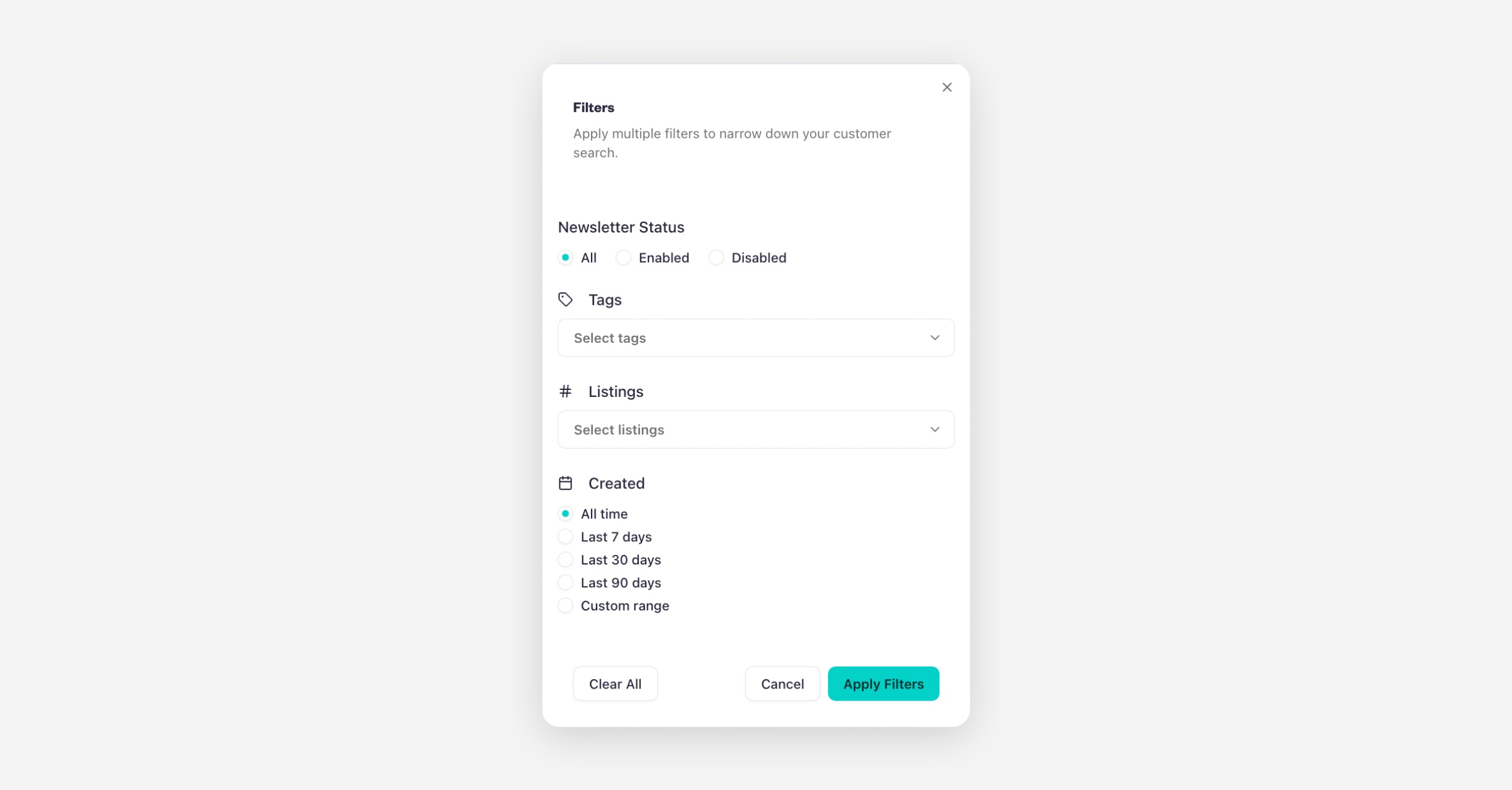
Click Option and select Export to CSV
This will download only the filtered customer data.
Export Customers for a Specific Upcoming Event
If you need customer data for a particular session:
Go to your Calendar
Click on the relevant Session
Click Export CSV
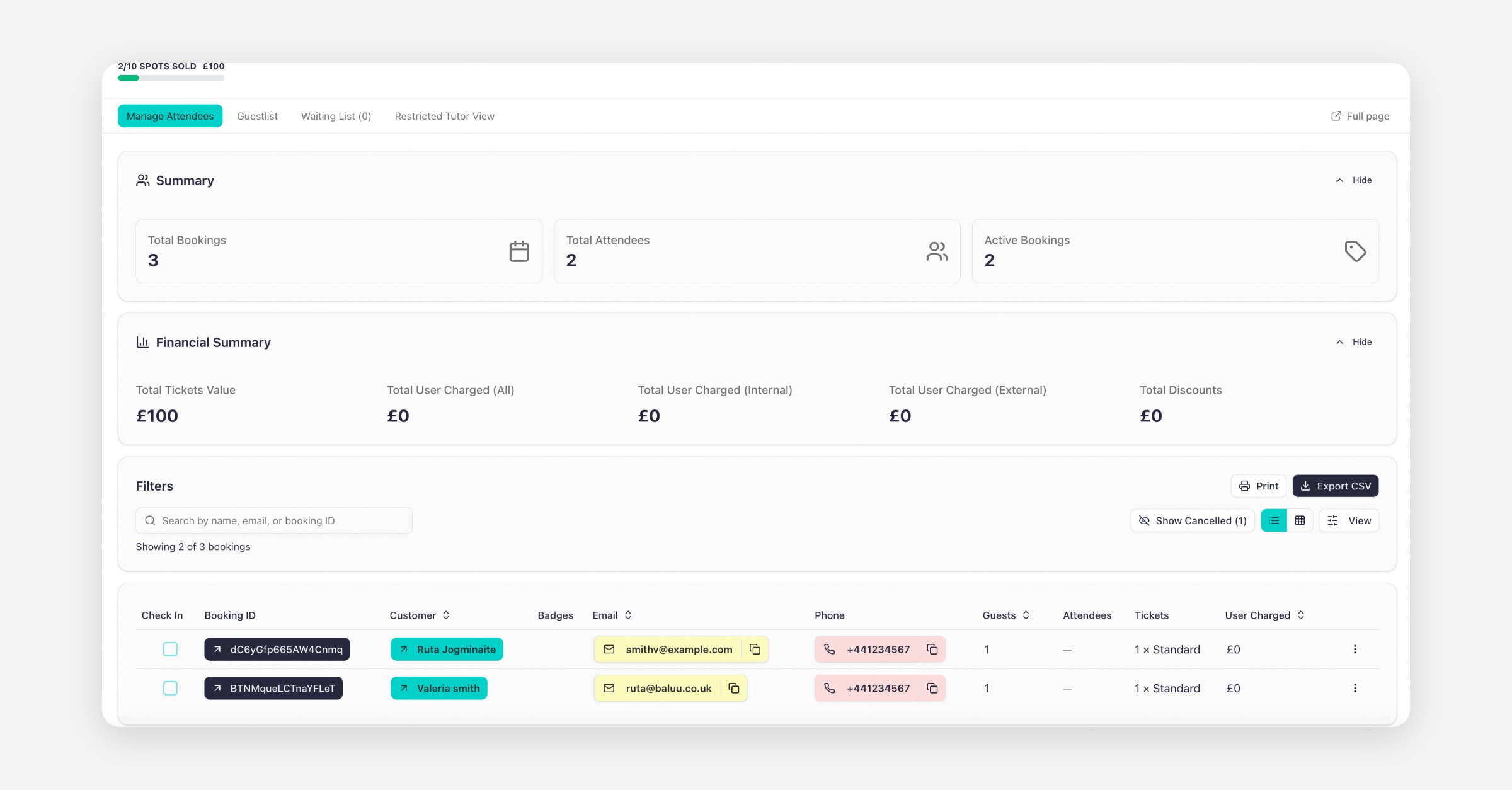
This will export the attendee list for that specific event.
Was this helpful?