Docs / FAQ's
How to run a test booking on Baluu
Learn how to run a FREE test booking on your Baluu system
Want to see how your checkout works for free? Want to find out if your integration looks smooth, and what you receive when a person books? Then this is the article for you!
Make a Discount Code
From your Dashboard, head to 'Services', then press 'Discounts'.
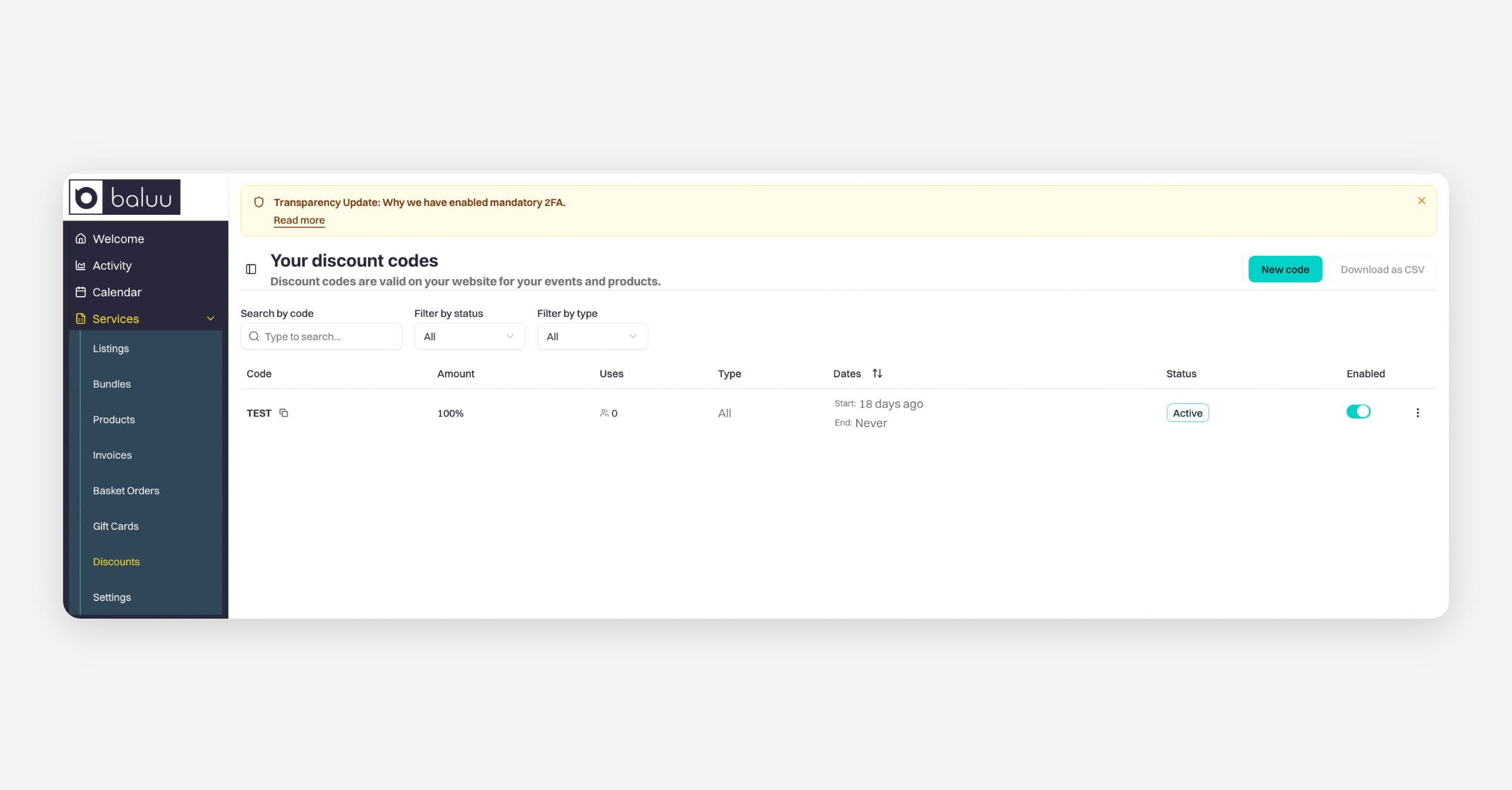
From there, press 'New code'. Fill out the following form - making sure to make the 'Discount Type' percent and the 'Discount Amount' 100%.
Be sure to press 'Save' at the bottom.
Using the Code to create a test booking
Start by clicking on the class you wish to book.
After selecting a class, choose the date and the number of tickets you require.
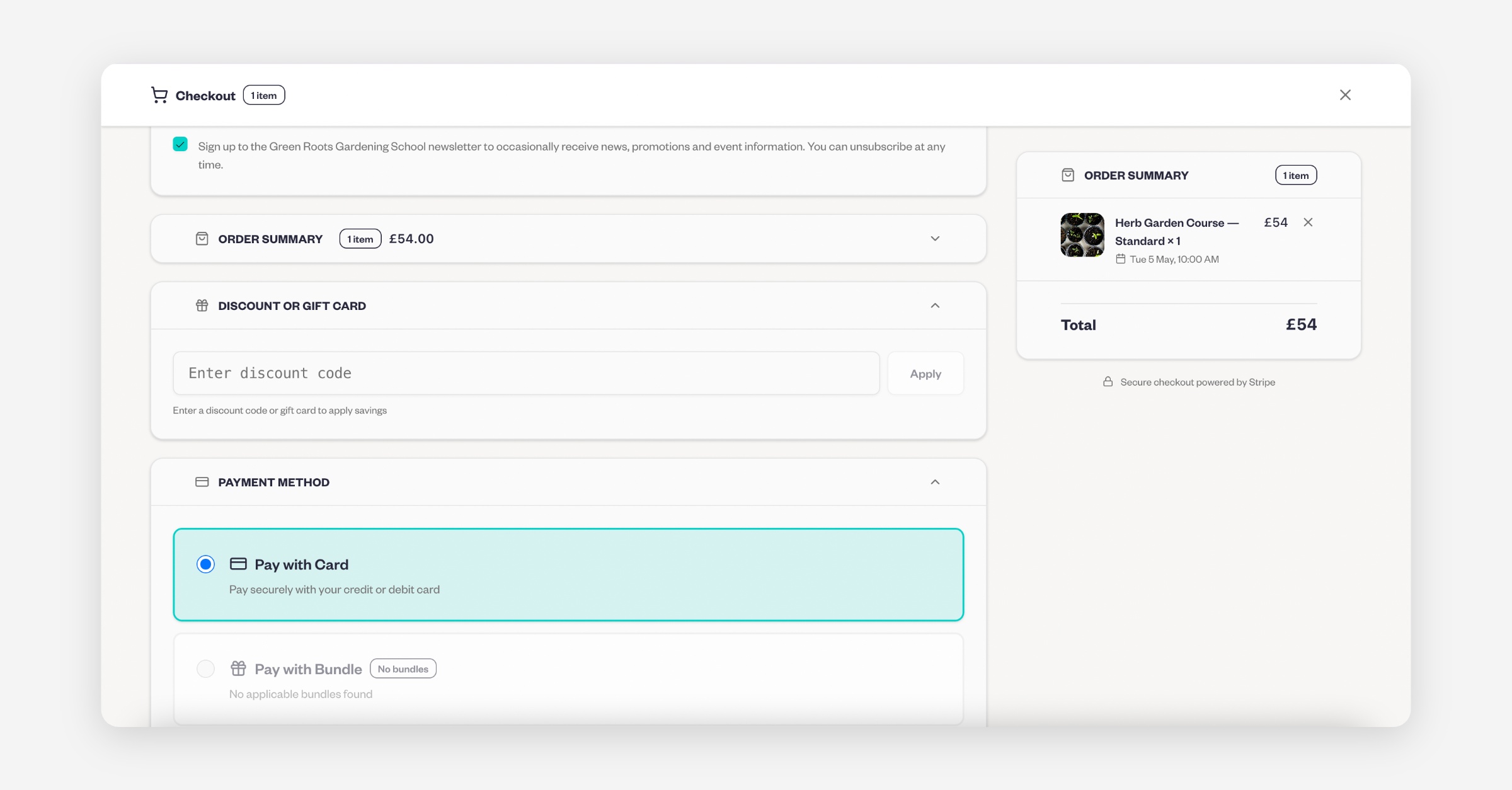
In the Checkout section, open the Discount or Gift Card tab and enter the discount code.
Was this helpful?