Docs / Getting Started
What happens when I get a booking?
Hopefully your bookings will come flying in straight away, and when they do it's always really exciting.
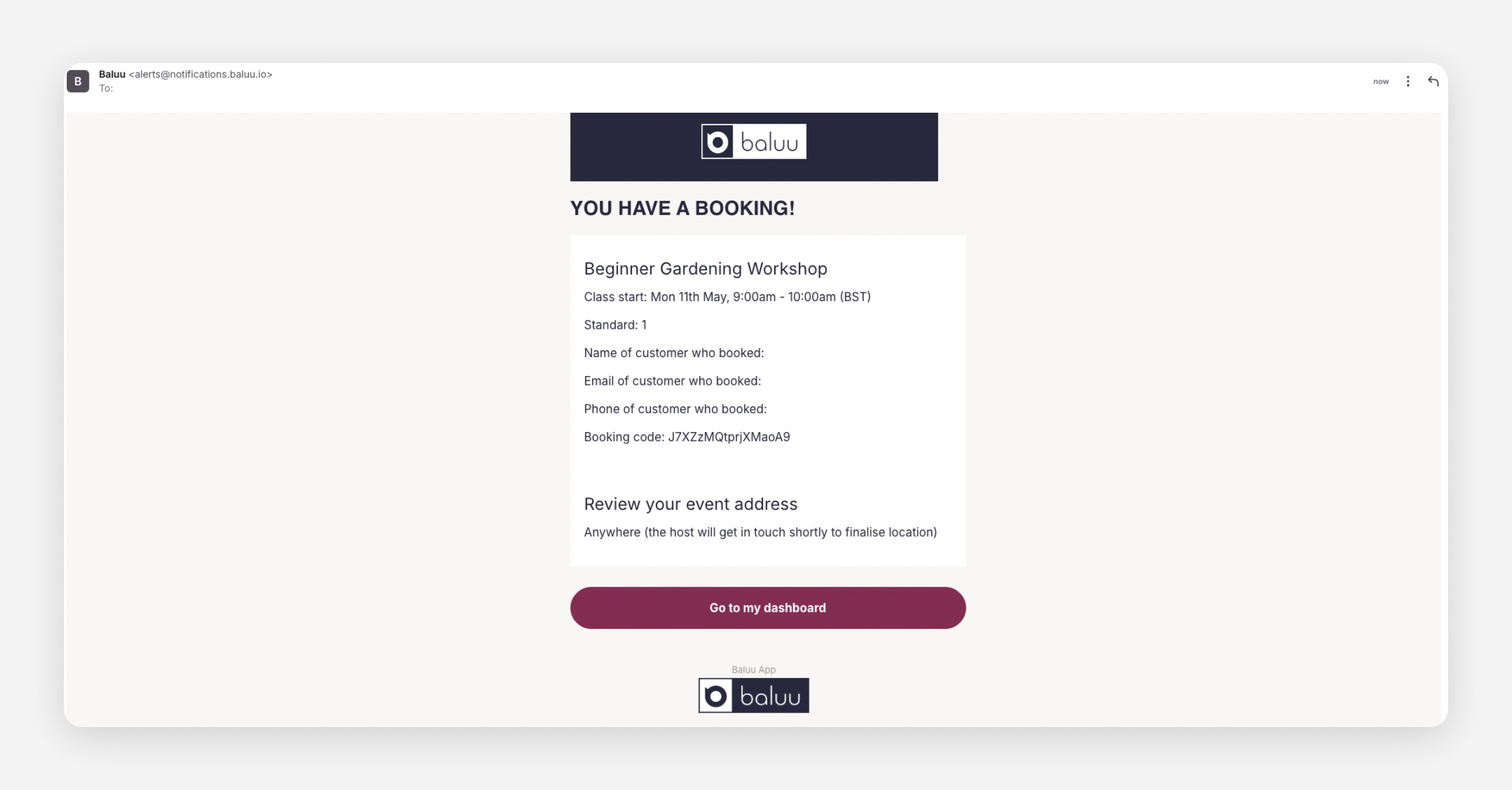
By default, all accounts have Automatic Acceptance enabled. This means bookings are automatically confirmed by the system as soon as a customer completes their booking.
How Automatic Acceptance Works
When Automatic Acceptance is enabled:
you will receive an email notification about the new booking
the booking is already confirmed automatically
no further action is needed from you
How to Disable Automatic Acceptance
If you would prefer to manually approve bookings:
Go to Business
Select Settings
Open the Basket & Checkout tab
Disable Booking Confirmation
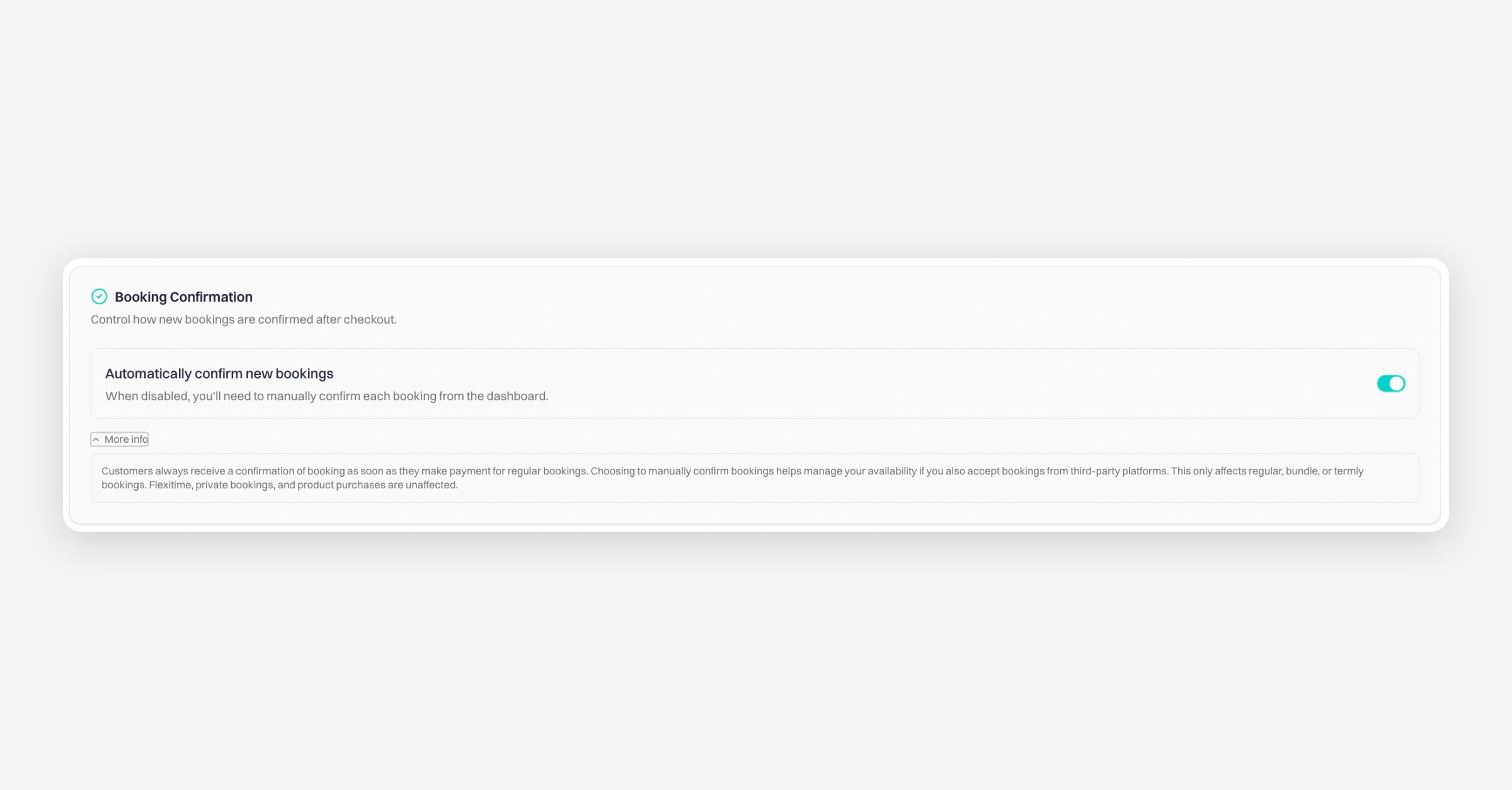
Once disabled, bookings will no longer be accepted automatically.
What Happens With Manual Approval Enabled
When a customer makes a booking:
you will receive a different booking email notification
the email will include an option to Respond to Booking
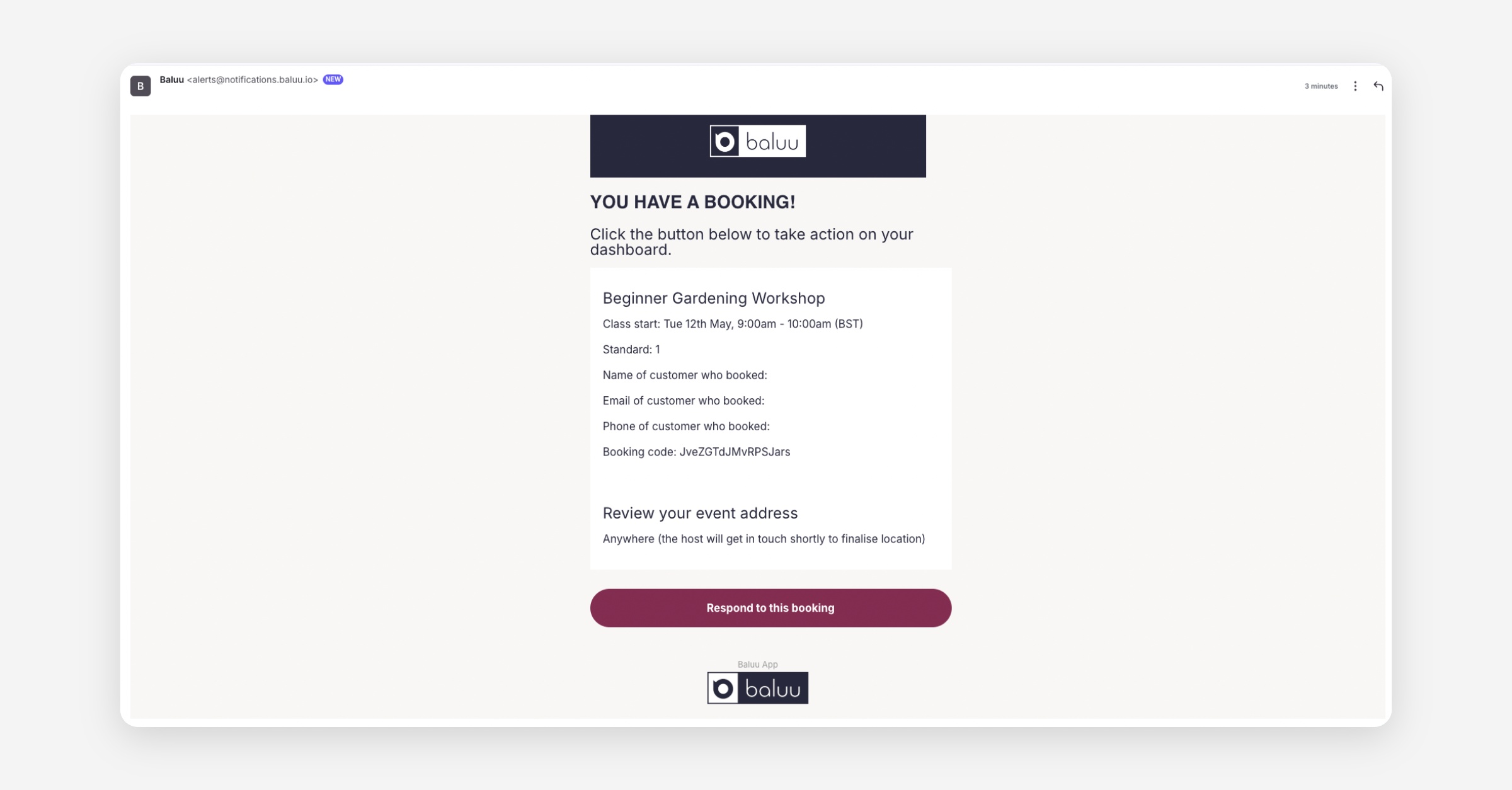
When you click Respond to this booking, you will be taken to the booking page where you can accept or reject the booking.
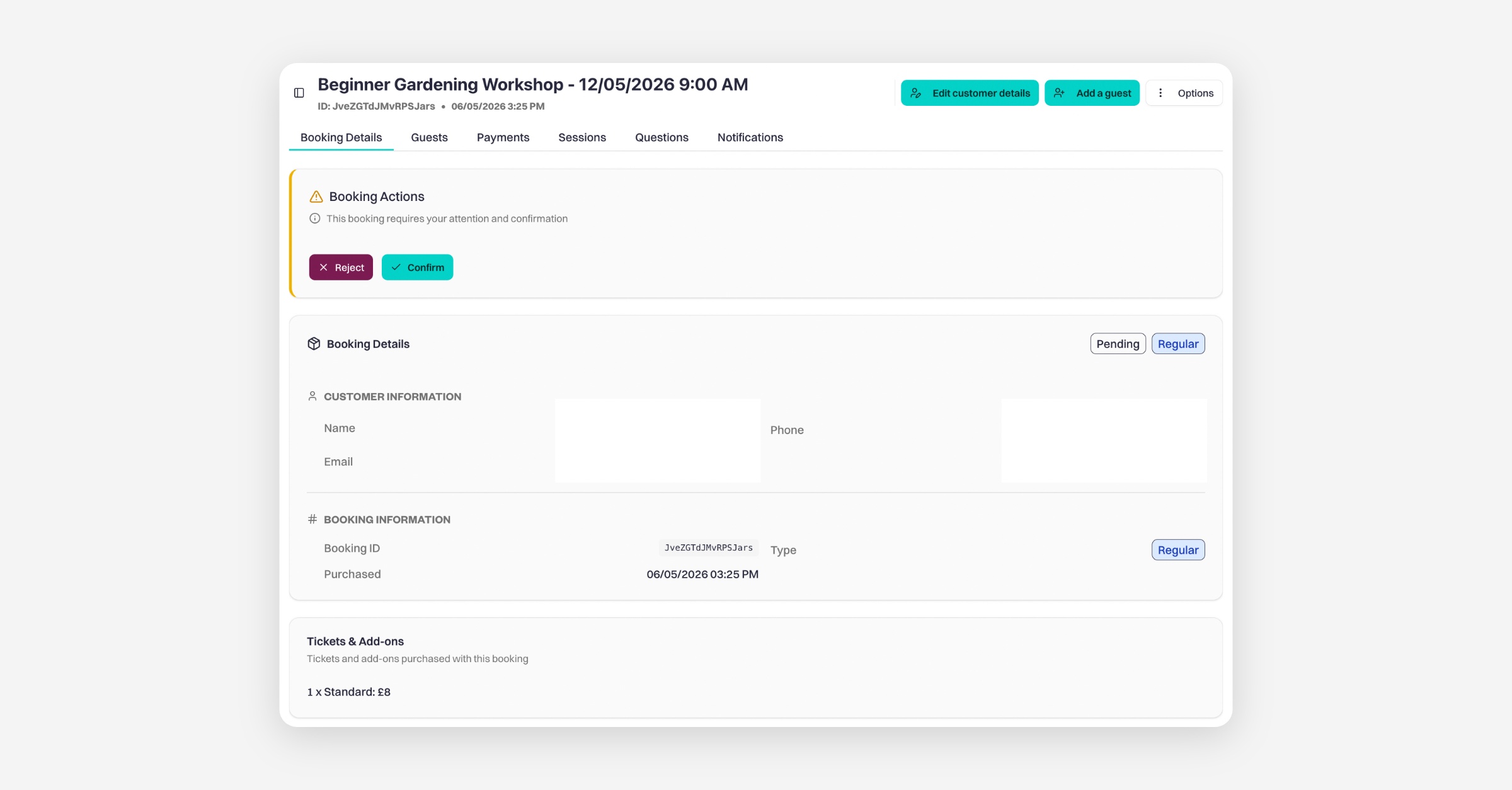
You can also manage bookings directly from your Activity page, where you can:
view booking details
accept bookings
reject bookings
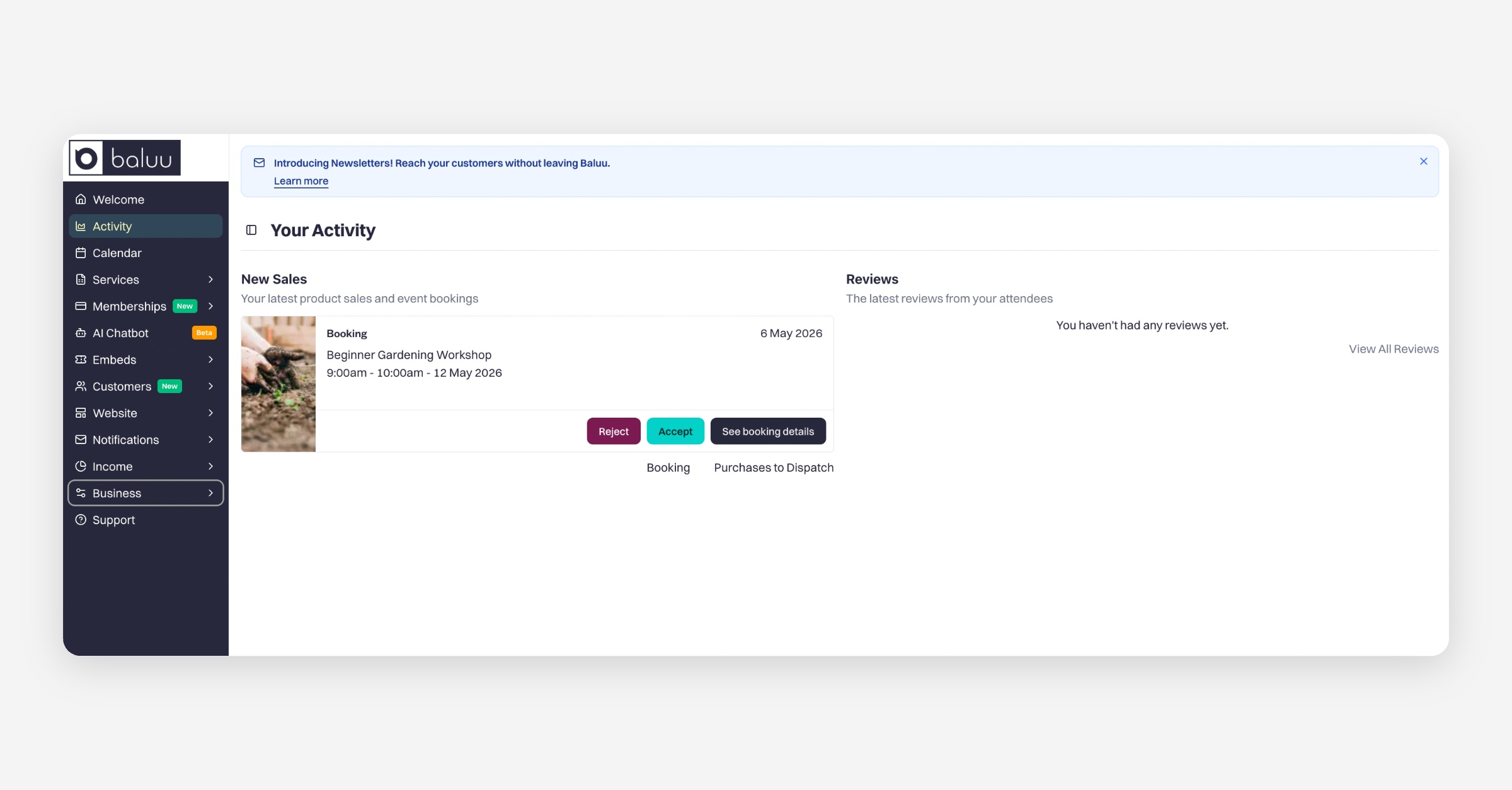
This gives you more control over which bookings are approved before confirmation is sent to the customer.
Was this helpful?