Docs / Getting Started
How to Add and Manage Team Members?
Add and manage team members, assign roles, and control access permissions.
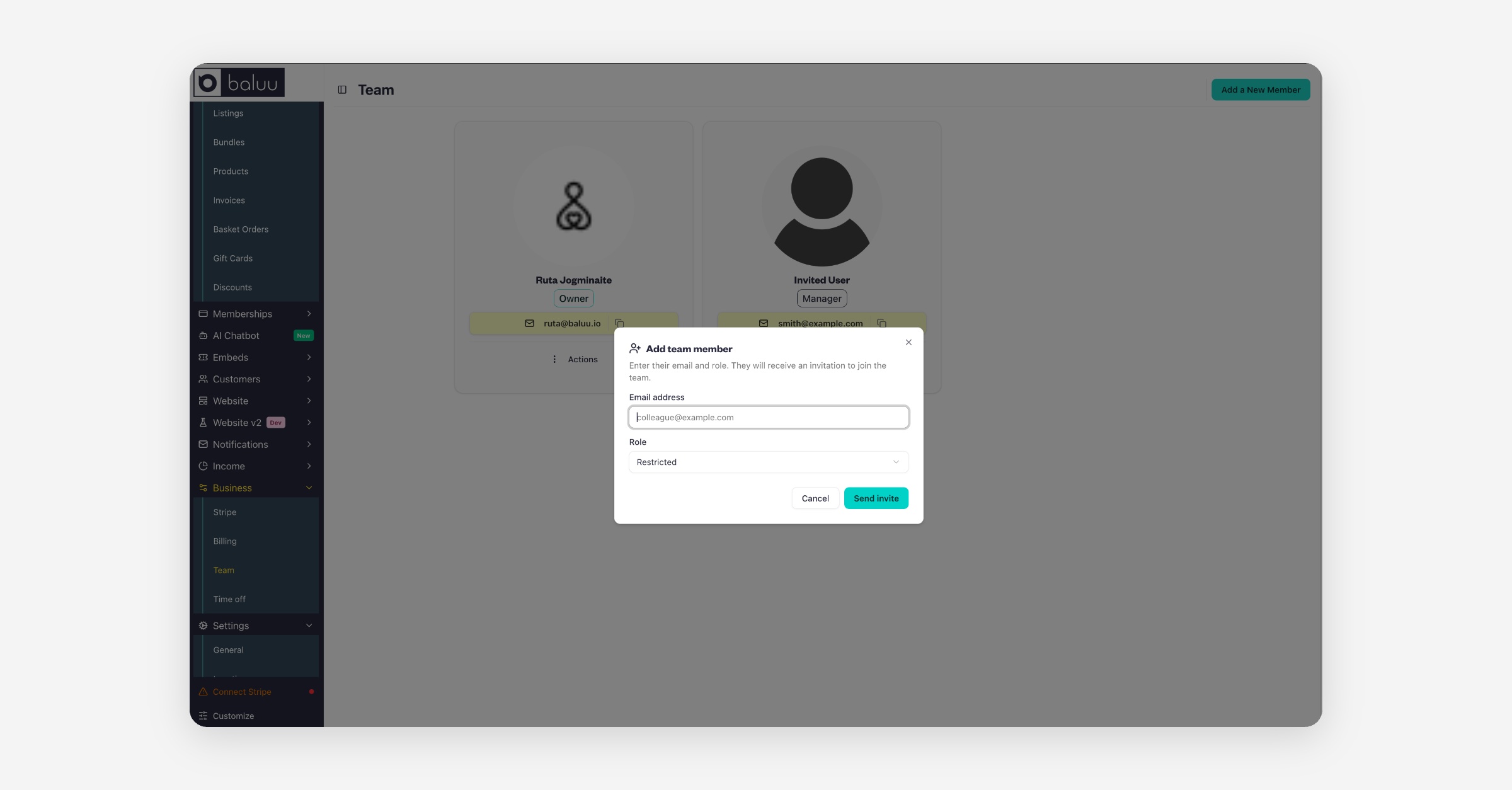
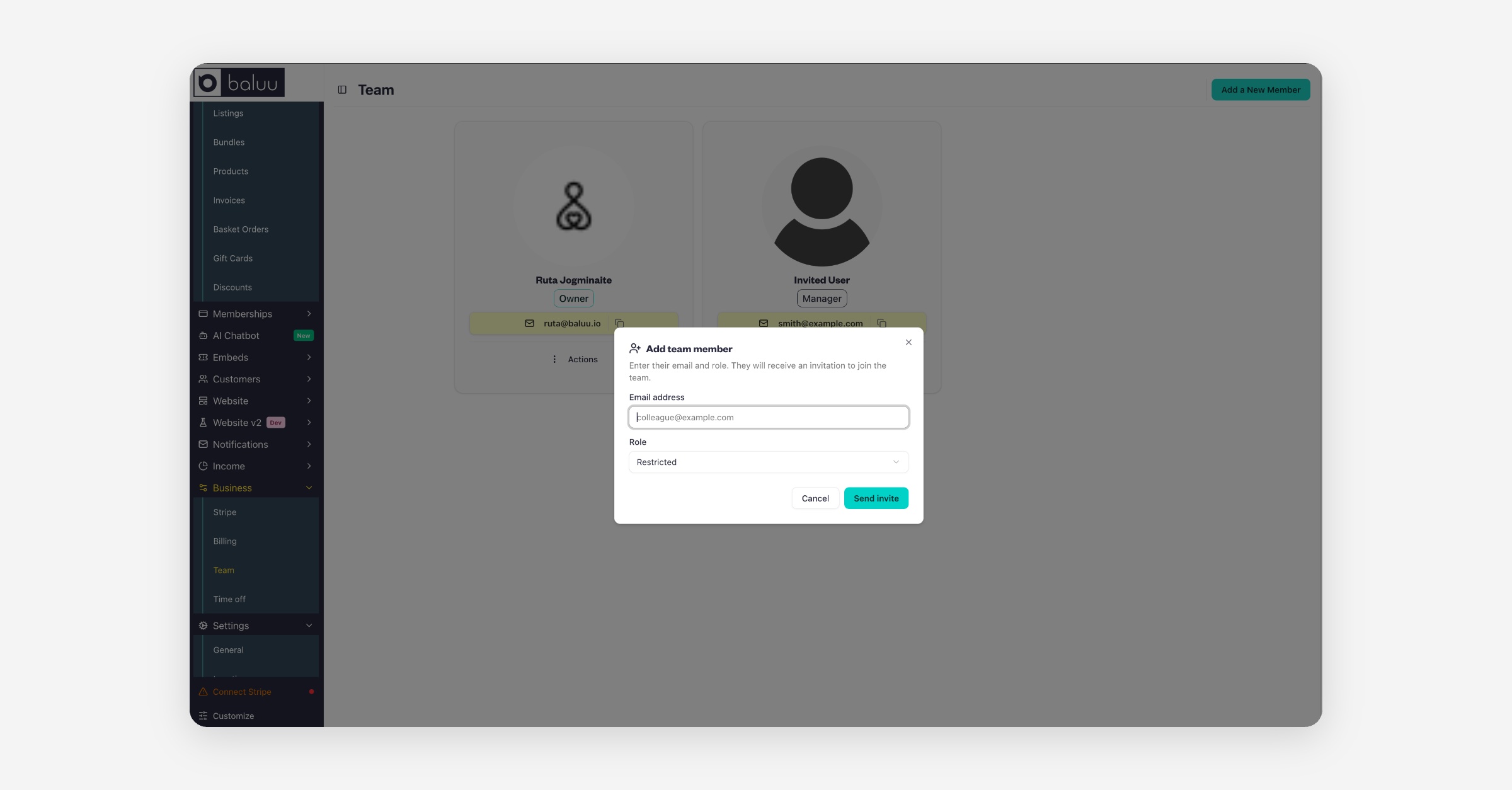
Go to the Baluu Dashboard and select the 'Business' then 'Team' tab.
Then select “Add a New Member.”
Enter their email and role. They will receive an invitation to join the team.
When they click 'confirm account', it will take them to the sign-in page. There, they need to click on the 'forgot password' link to create a new one.
Team members can be assigned different roles:
Admin (Owner)
Manager
General Staff
Restricted
On the right-hand side, you'll see the eye icon, which lets you preview your account as different user roles. This is a great way to see exactly what each role can access, helping you decide which permissions to assign to your team members.
Was this helpful?